Ableton Link is a great technology for syncing iOS audio apps with each other as well as Ableton Live. A link session tracks the beat, bar, and phrase according to tempo so that apps can play in time with a shared tempo.
LinkKit is a C++ library with functions for creating and joining a Link session, getting the beat for the current time, updating the tempo etc. from both the audio thread and UI thread. The best practice is creating it once when you initialize your app with your audio engine and tracking the beat or requesting session updates in the audio render loop. Alternatively, you can setup your custom timer to act like an audio render loop. But, it does not guarantee precise accuracy.
I recommend reading the Link documentation for an in-depth overview before we start.
Getting LinkKit
You need to request LinkKit from Ableton and they will give you access to the private repo of LinkKit where you can download the final release with UI guidelines and a well-built example app called LinkHut. You can study the example app. If you have no experience with AudioUnits, Audio DSP programming, mixing Objective-C with C++ (Objective-C++), this example will help. Don’t worry if you are a Swift programmer, it works perfectly well with Swift apps. Also, you can test your implementation with the LinkHut to check if your app is in sync with other Link apps.
AudioKit Integration
Ableton Link works great with AudioKit. If you have an Audio Unit where you can subscribe its render loop (the audio thread), you are basically ready to go. Also, it doesn’t hurt to add one if you don’t currently have one. Otherwise, you can setup your custom loop with the NSTimer, for example, if you are using AudioKit for just the AKSequencer.
Implementation
There are two main data structures you will work with. An engine data, where the audio engine related data goes, like, output latency, bpm, quantum etc.
|
1 2 3 4 5 6 7 8 |
typedef struct { UInt64 outputLatency; Float64 resetToBeatTime; BOOL requestStart; BOOL requestStop; Float64 proposeBpm; Float64 quantum; } EngineData; |
And Link data, the data you need in audio thread. It will have the ABLLinkRef, the Link itself and two EngineData references one is the audio thread only data and other is shared between main and audio thread so changes on EngineData from different threads don’t block each other. Also, it has time-related data for calculating the beats accurate as possible.
|
1 2 3 4 5 6 7 8 9 10 11 12 13 14 15 16 |
typedef struct { ABLLinkRef ablLink; // Shared between threads. Only write when engine not running. Float64 sampleRate; // Shared between threads. Only write when engine not running. Float64 secondsToHostTime; // Shared between threads. Written by the main thread and only // read by the audio thread when doing so will not block. EngineData sharedEngineData; // Copy of sharedEngineData owned by audio thread. EngineData localEngineData; // Owned by audio thread UInt64 timeAtLastClick; // Owned by audio thread BOOL isPlaying; } LinkData; |
In audio render loop, we sync sharedEngineData to localEngineData with the static void pullEngineData(LinkData* linkData, EngineData* output) function. So, tempo or play/stop state changes applied on audio thread.
|
1 2 3 4 5 6 7 8 9 10 11 12 13 14 15 16 17 18 19 20 21 22 23 24 25 26 27 28 29 30 31 32 33 34 35 36 37 38 39 40 |
/* * Pull data from the main thread to the audio thread if lock can be * obtained. Otherwise, just use the local copy of the data. */ static void pullEngineData(LinkData* linkData, EngineData* output) { // Always reset the signaling members to their default state output->resetToBeatTime = INVALID_BEAT_TIME; output->proposeBpm = INVALID_BPM; output->requestStart = NO; output->requestStop = NO; // Attempt to grab the lock guarding the shared engine data but // don't block if we can't get it. if (OSSpinLockTry(&lock)) { // Copy non-signaling members to the local thread cache linkData->localEngineData.outputLatency = linkData->sharedEngineData.outputLatency; linkData->localEngineData.quantum = linkData->sharedEngineData.quantum; // Copy signaling members directly to the output and reset output->resetToBeatTime = linkData->sharedEngineData.resetToBeatTime; linkData->sharedEngineData.resetToBeatTime = INVALID_BEAT_TIME; output->requestStart = linkData->sharedEngineData.requestStart; linkData->sharedEngineData.requestStart = NO; output->requestStop = linkData->sharedEngineData.requestStop; linkData->sharedEngineData.requestStop = NO; output->proposeBpm = linkData->sharedEngineData.proposeBpm; linkData->sharedEngineData.proposeBpm = INVALID_BPM; OSSpinLockUnlock(&lock); } // Copy from the thread local copy to the output. This happens // whether or not we were able to grab the lock. output->outputLatency = linkData->localEngineData.outputLatency; output->quantum = linkData->localEngineData.quantum; } |
And in the last part, in our DSP code, or audio render loop, we pull the Link data, capture the current session, check the tempo, play/stop changes and commit any requested changes by our client to the session.
|
1 2 3 4 5 6 7 8 9 10 11 12 13 14 15 16 17 18 19 20 21 22 23 24 25 26 27 28 29 30 31 32 33 34 35 36 37 38 39 40 41 42 43 44 45 46 47 48 49 50 51 52 53 54 55 56 57 58 59 60 61 62 63 64 65 66 67 68 69 70 71 |
static OSStatus audioCallback( void *inRefCon, AudioUnitRenderActionFlags *flags, const AudioTimeStamp *inTimeStamp, UInt32 inBusNumber, UInt32 inNumberFrames, AudioBufferList *ioData) { #pragma unused(inBusNumber, flags) // First clear buffers for (UInt32 i = 0; i < ioData->mNumberBuffers; ++i) { memset(ioData->mBuffers[i].mData, 0, inNumberFrames * sizeof(SInt16)); } LinkData *linkData = (LinkData *)inRefCon;; // Get a copy of the current link session state. const ABLLinkSessionStateRef sessionState = ABLLinkCaptureAudioSessionState(linkData->ablLink); // Get a copy of relevant engine parameters. EngineData engineData; pullEngineData(linkData, &engineData); // The mHostTime member of the timestamp represents the time at // which the buffer is delivered to the audio hardware. The output // latency is the time from when the buffer is delivered to the // audio hardware to when the beginning of the buffer starts // reaching the output. We add those values to get the host time // at which the first sample of this buffer will reach the output. const UInt64 hostTimeAtBufferBegin = inTimeStamp->mHostTime + engineData.outputLatency; if (engineData.requestStart && !ABLLinkIsPlaying(sessionState)) { // Request starting playback at the beginning of this buffer. ABLLinkSetIsPlaying(sessionState, YES, hostTimeAtBufferBegin); } if (engineData.requestStop && ABLLinkIsPlaying(sessionState)) { // Request stopping playback at the beginning of this buffer. ABLLinkSetIsPlaying(sessionState, NO, hostTimeAtBufferBegin); } if (!linkData->isPlaying && ABLLinkIsPlaying(sessionState)) { // Reset the session state's beat timeline so that the requested // beat time corresponds to the time the transport will start playing. // The returned beat time is the actual beat time mapped to the time // playback will start, which therefore may be less than the requested // beat time by up to a quantum. ABLLinkRequestBeatAtStartPlayingTime(sessionState, 0., engineData.quantum); linkData->isPlaying = YES; } else if(linkData->isPlaying && !ABLLinkIsPlaying(sessionState)) { linkData->isPlaying = NO; } // Handle a tempo proposal if (engineData.proposeBpm != INVALID_BPM) { // Propose that the new tempo takes effect at the beginning of // this buffer. ABLLinkSetTempo(sessionState, engineData.proposeBpm, hostTimeAtBufferBegin); } ABLLinkCommitAudioSessionState(linkData->ablLink, sessionState); // // Other DSP stuff goes here // return noErr; } |
When we setup our audio render loop function to audio unit, we should send our LinkData. So, we can pull it from void *inRefCon parameter in our audioCallback function.
|
1 2 3 4 5 6 7 8 9 10 11 |
AURenderCallbackStruct ioRemoteInput; ioRemoteInput.inputProc = audioCallback; ioRemoteInput.inputProcRefCon = &_linkData; result = AudioUnitSetProperty( _ioUnit, kAudioUnitProperty_SetRenderCallback, kAudioUnitScope_Input, 0, &ioRemoteInput, sizeof(ioRemoteInput)); |
Passing custom data
You can pass your custom data type as well, if you want to do something else. For example, you can setup a custom callback function like:
|
1 |
typedef void (^AudioEngineRenderCallback)(double beat); |
And setup a property for implementing it in another class.
|
1 |
@property (copy) AudioEngineRenderCallback renderCallbackBlock; |
In your audio engine’s header file. Also, you should setup a custom struct for passing it to your audio callback function.
|
1 2 3 4 |
typedef struct { LinkData *linkRef; AudioEngineRenderCallback callback; } AudioEngineRenderCallbackData; |
Create a private reference for it in your implementation file.
|
1 2 3 4 5 6 |
@interface AudioEngine() { AudioUnit _ioUnit; LinkData _linkData; AudioEngineRenderCallbackData _renderCallbackData; } @end |
And pass it to the audio callback method.
|
1 2 3 4 5 6 7 8 9 10 11 12 13 14 15 16 |
_renderCallbackData = AudioEngineRenderCallbackData(); _renderCallbackData.linkRef = &_linkData; _renderCallbackData.callback = self.renderCallbackBlock; // Set Audio Callback AURenderCallbackStruct ioRemoteInput; ioRemoteInput.inputProc = audioCallback; ioRemoteInput.inputProcRefCon = &_renderCallbackData; result = AudioUnitSetProperty( _ioUnit, kAudioUnitProperty_SetRenderCallback, kAudioUnitScope_Input, 0, &ioRemoteInput, sizeof(ioRemoteInput)); |
Then, in your audio callback function, pull it from void *inRefCon.
|
1 2 |
AudioEngineRenderCallbackData *data = (AudioEngineRenderCallbackData *)inRefCon; LinkData *linkData = data->linkRef; |
You can pass the current beat to your custom callback function now.
|
1 2 3 4 |
// Send beat callback if (data->callback) { data->callback(ABLLinkBeatAtTime(sessionState, hostTimeAtBufferBegin, 4)); } |
You can find the full example in this repo.
Integrating with Swift projects
For Swift projects, you need a bridging header file and include the LinkKit.
|
1 2 3 4 5 6 7 8 |
#ifndef Bridge_h #define Bridge_h #include "ABLLink.h" #include "ABLLinkUtils.h" #include "ABLLinkSettingsViewController.h" #endif /* Bridge_h */ |
Also, you need to link libc++.tbd to your linked frameworks and libraries section in the General tab in your project settings.
There is a Swift port of EngineData and LinkData as Swift structs that you can grab from here.
In this example, we will setup a custom timer and use it as our audio render loop. So, it will cover the projects with no audio units. The update function in the Swift port code is the same code in the audio render loop above. So, our custom timer should call it.
|
1 2 3 4 5 6 7 8 9 10 11 12 |
// Timer private var timer: Timer = Timer() private let timerSpeed: Double = 0.1 init() { timer = Timer.scheduledTimer( timeInterval: timerSpeed, target: ABLLinkManager.shared, selector: #selector(update), userInfo: nil, repeats: true) } |
If you subscribe its listeners, you are going the react tempo/start/stop changes. And of course, you can request the change them as well, by simply setting its properties.
|
1 2 3 4 5 6 7 8 9 |
// Subscribe tempo change events ABLLinkManager.shared.add(listener: .tempo({ bpm, quantum in self.tempo.bpm = bpm })) // Update Link tempo @IBAction func tempoDidChange(sender: UIControl) { ABLLinkManager.shared.bpm = tempo.bpm } |
For more information on Ableton link, please visit their website.
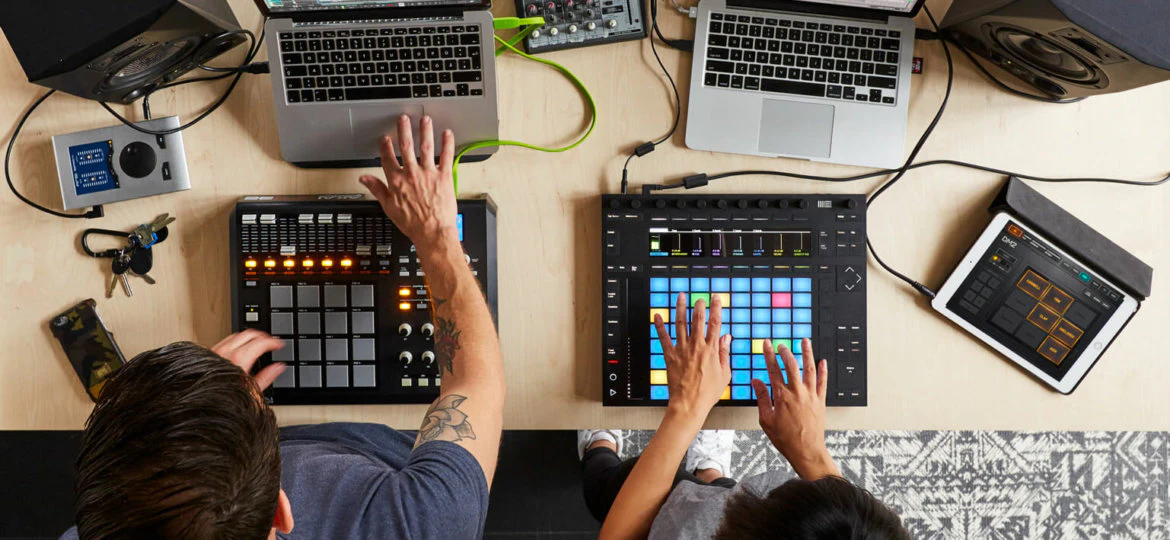
(Blog photo courtesy of Ableton Link website)